Self-updating diagrams,
linked across your projects
Wire nodes to the tools you already use. When the work behind a node moves, the node moves with it, live on your canvas. Reference any other project to keep the full picture in one place.

Built into every diagram
An AI that reads your canvas, a structured editor per diagram type, and actions you can attach to any node.
AI agent with tools
Builds diagrams, edits nodes, creates projects, and writes documentation. References your other projects with @-mentions, all through chat.

Built for every diagram type
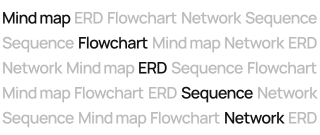
Flow charts, mind maps, DB schemas, and more on the way. Each one gets its own structured canvas, AI actions, and export pipeline tailored to the job.
Per-project documentation
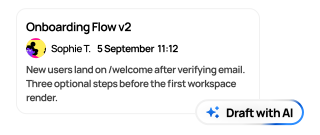
A rich-text editor next to every canvas. Write specs and context yourself, or let AI draft them from the diagram in one click.
Smart node actions
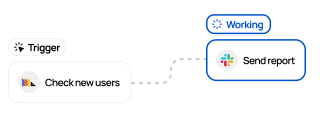
Attach to any node: open a link, copy text, trigger a webhook, or jump to another Raltey project. One click, no extra wiring.
Themes, fonts, and icons
Curated palettes, multiple typography sets, and a built-in icon library. Match your brand or your client's, project by project.

Live nodes, not snapshots
Click an issue node to jump to Linear, a file to open in GitHub. The AI reads the same context, so its answers stay grounded in your real data.

Made for teams
Share, version, and export. Everything that happens after the diagram is built.
Real-time collaboration
Share a canvas across engineering, design, marketing, or sales. Live cursors, threaded comments on nodes, and a public read-only link. No screenshots, no version drift.

Version history
Every change is timestamped and attributed. Roll back, compare side by side, or branch from any prior state without losing recent work.

Export and present
PNG, SVG, or PDF for any diagram. Walk stakeholders through it node by node in presentation mode, or send DB schemas straight to SQL.

Your tools,
on the canvas
Bring repos, issues, docs, and files in as live nodes from GitHub, Linear, Notion, and Drive. Linear and GitHub nodes refresh on their own as the source changes; sync the rest whenever you want the latest.
Three ways to drive the AI
Type what you want, drop an image, or pick a one-click action. The agent applies changes with full context of your existing canvas.
Cross-project context
Reference any of your other projects with @-mentions. The agent pulls in the relevant canvases and docs without leaving the conversation.
Quick transforms
Six one-click AI actions directly on your diagram: Break down, Simplify, Add error handling, Suggest connections, Summarize, and Expand. No prompting required.
Image to diagram
Upload a screenshot, whiteboard photo, or any image. The AI reads it and generates the matching nodes and connections on your canvas.
Frequently Asked Questions
Common questions about Raltey, plans, and AI usage.
Is Raltey available now?
Yes. Raltey is in open beta and free to sign up. You get 5 projects, 10 AI generations per month, and full access to the canvas, AI agent, and GitHub integration on the Free plan.
How does Raltey differ from tools like Lucidchart or Draw.io?
Raltey combines structured, type-specific diagrams with a conversational AI agent that has full context of your canvas and cross-project references. Unlike free-form tools, every diagram type has its own smart canvas, AI actions, and export pipeline, and you can attach webhooks, links, or navigation to any node.
Does Raltey train AI on my diagrams?
No. Your diagrams, documents, and prompts are never used to train AI models. We pass canvas context to our AI providers only to answer your request. They are contractually bound not to retain it for training.
How can I provide feedback?
As a beta user you can reach out via email, X (@vyers_), or open a conversation in the Help section inside the app. We actively ship features based on community input.